
Open Source · Brand Tooling
Simula Logo Generator
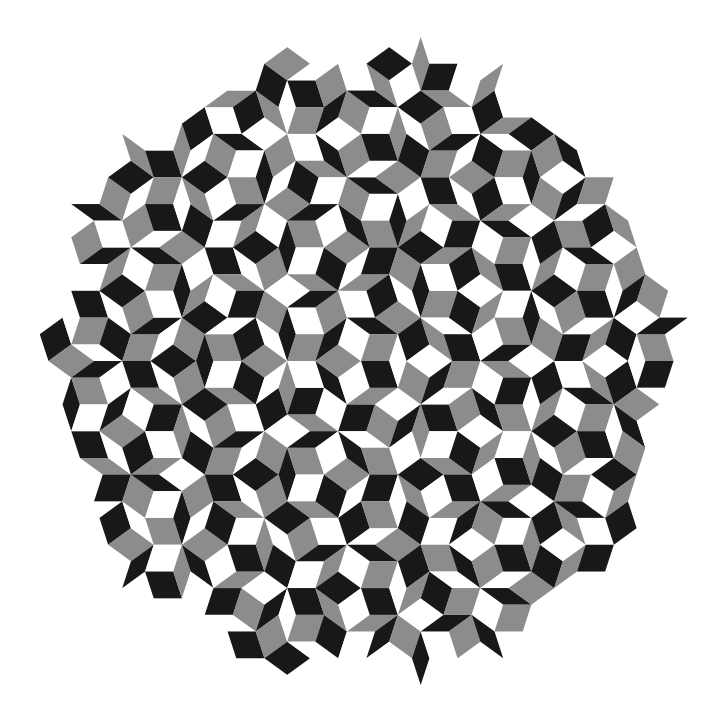
A Python command-line tool that procedurally generates the Penrose-tiling-based Simula logo — in SVG and PNG, at any scale, in any colour combination. Now with a built-in SVG editor for post-processing.
The Simula logo is built on a Penrose tiling, a pattern that’s striking but notoriously fiddly to redraw by hand every time you need a new size, colour variant, or export format. simula-logo-generator turns that into a single command — useful for designers who need pixel-perfect variants and for developers who want to generate brand assets on demand inside a build pipeline.
Version 2 is a big upgrade: alongside the original CLI, the repo now ships a simple SVG editor for post-processing generated Penrose files directly — deleting individual tiles, recolouring tiles, and fine-tuning the output without needing a full design tool.
Why it exists
Consistent Output
Every export comes from the same tiling logic, so the logo never drifts between versions or designers.
Fully Parametric
Scale, stroke width, stroke colour, and tile colours are all command-line flags — no design file required.
SVG & PNG Ready
Export vector SVG for print and web, or rasterized PNG for anywhere vectors aren’t supported.
Version 2 adds a browser-based SVG editor alongside the existing Python-based Penrose tiling generator, so the repository now covers both logo generation and direct post-generation editing.
Repository layout
svg-editor/
Browser app for loading, selecting, editing, and exporting Simula SVG artwork.
python-scripts/
Python package, CLI, examples, and tests for generating the Simula logo and related Penrose tilings.
Python generator
The Python implementation is documented in full in python-scripts/README.md, covering installation from python-scripts/, the generate_simula_logo CLI, the simula_logo_generator and penrose Python APIs, and example/test commands.
Install & run
cd python-scripts/
pip3 install .
generate_simula_logo --scale 4 --stroke-colour "#14406C" \
  --Stile-colour "#31B5E4" --Ltile-colour "#ffffff" \
  --svg-output simula-logo.svg --png-output simula-logo.png
CLI options
| Flag | What it controls |
|---|---|
--scale | Overall size of the generated logo |
--base-stroke-width | Thickness of the tile outlines |
--stroke-colour | Colour of the tile outlines |
--tile-opacity | Transparency of tile fills, 0 to 1 |
--Stile-colour | Fill colour for “S” tiles |
--Ltile-colour | Fill colour for “L” tiles |
--random-tile-colours | Randomize tile colours instead of fixed values |
--svg-output | Output filename for the SVG export |
--png-output | Output filename for the PNG export |
New: browser-based SVG editor
The interactive editor lives under svg-editor/. At a high level, it supports:
Load & select
Load an SVG from disk or open the bundled sample, then select panels by click, drag, rectangular marquee selection, or invert selection.
Edit
Edit fill and edge styling for the current selection, with fill colour changes auto-applying as panels are selected.
Delete
Delete selected panels via the toolbar or keyboard shortcuts.
Undo, redo & export
Full undo/redo for editor operations, then export the edited SVG back to disk.

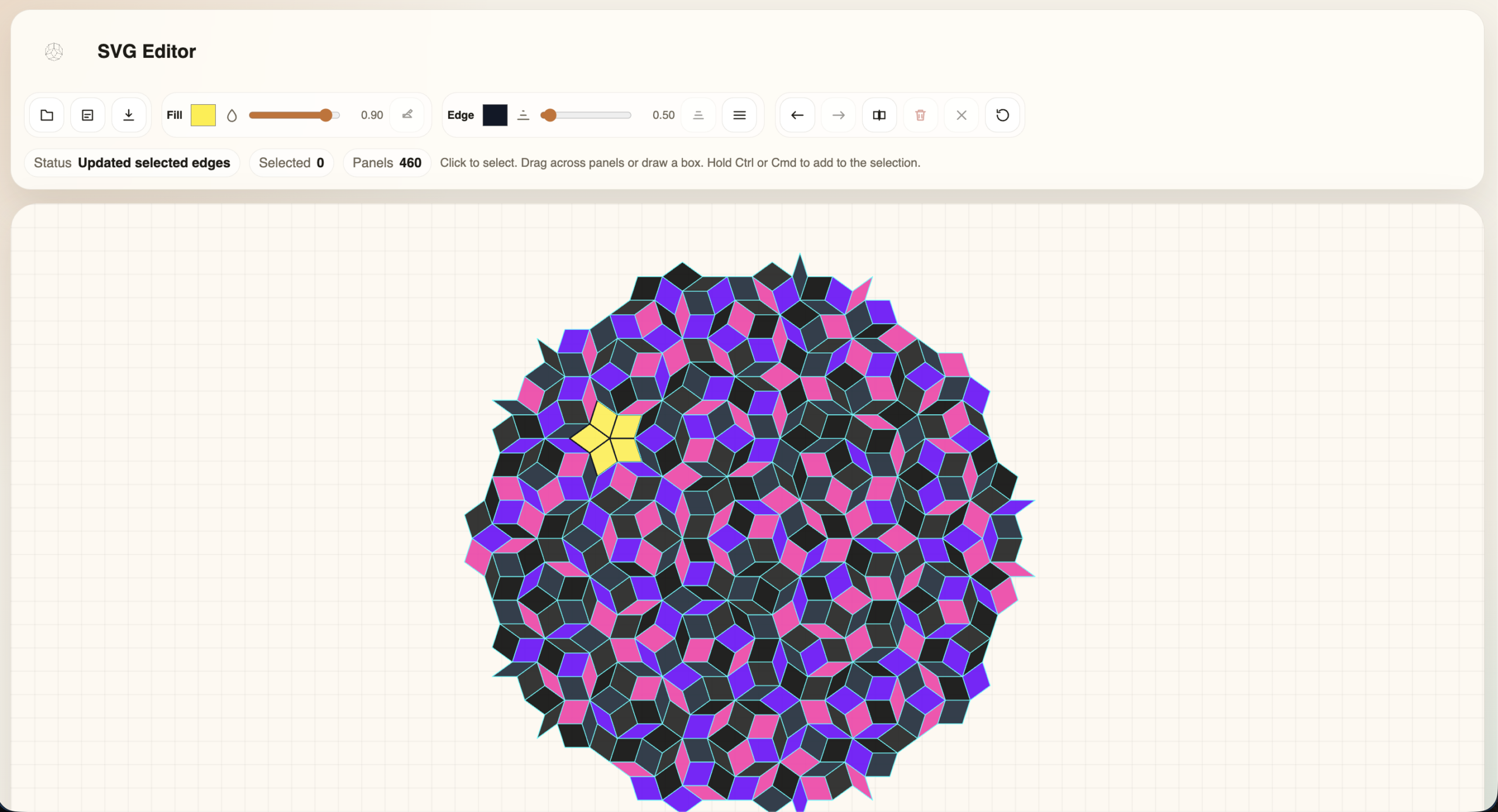
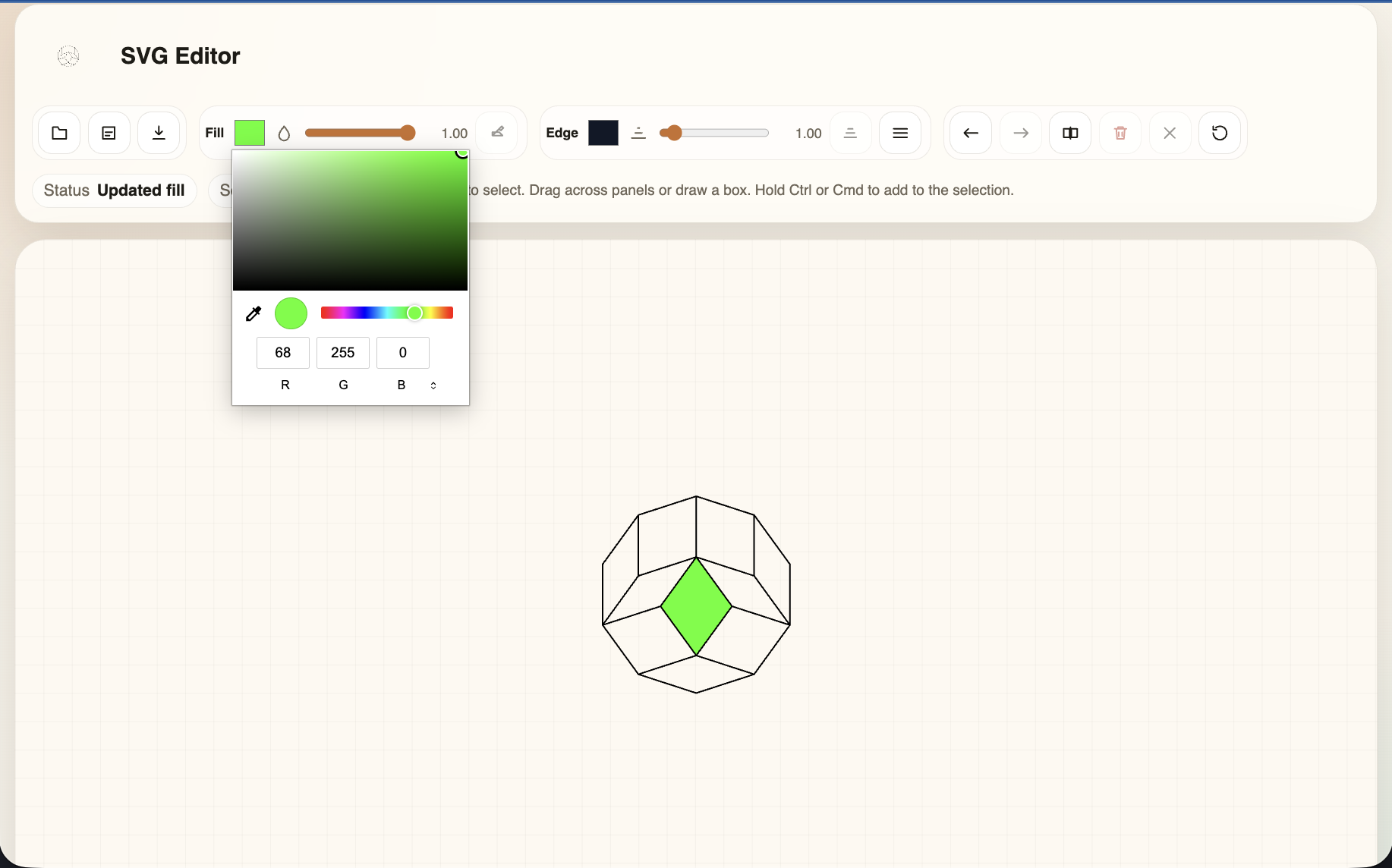
Detailed editor usage, controls, and local run instructions live in svg-editor/README.md.
Current status
Stable import surface
The Python package now has a stable public import surface for penrose and simula_logo_generator.
Smoke tests
Smoke tests cover imports, SVG generation, and CLI argument propagation.
Updated examples
Examples now use the supported package imports.
Who it’s for
Designers
Generate clean, accurate logo variants for decks, print, and brand guidelines, then fine-tune individual tiles in the SVG editor without recreating the tiling by hand.
Developers
Drop the CLI into a build script or CI step to regenerate brand assets whenever colour tokens change.
Requires: Python 3 and pip3. Run the install step from inside python-scripts/ before calling generate_simula_logo.
Developed by Simula Lab Ltd
Version 1 was the original browser-based version of the tool: a simple web app for generating the Penrose-tiling-based Simula logo without installing anything locally. It’s still live and useful for quick, one-off exports.
Simula Logo Generator — Web (v1)
Generate the logo directly in your browser, no installation required. Ideal for quick exports without touching the command line.
Looking for more control — custom tile colours via CLI flags, batch generation, or the new SVG post-processing editor? Check out Version 2 above.